I don't like thinking about note length when trying to transcribe a song, but for some reason every transcription program I've seen requires you to enter the correct note lengths before you can proceed. So (a)I created an easier transcription program.
Run The Transcription App here
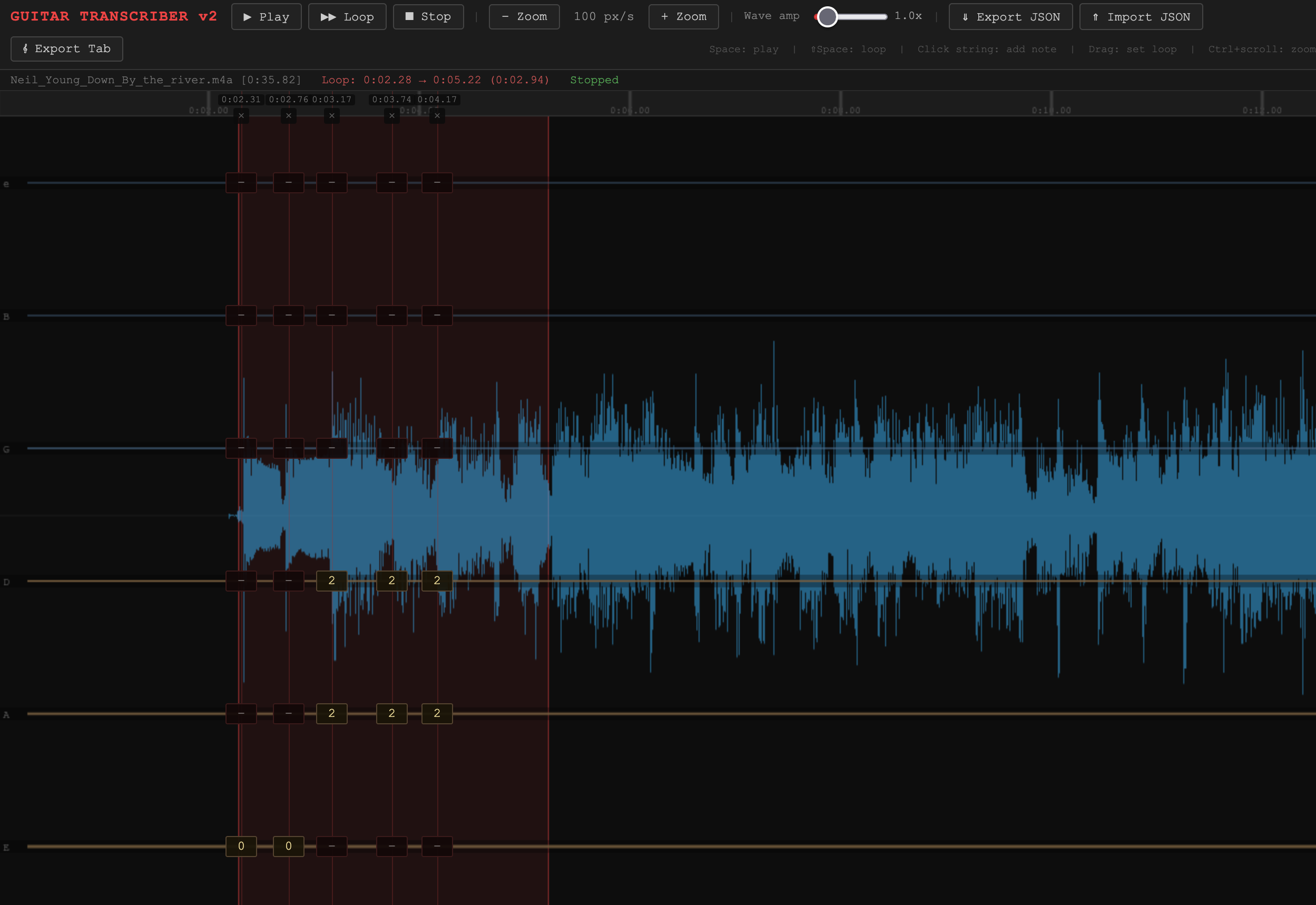
An updated version where the six guitar strings are drawn directly over the waveform, so you work in one unified view instead of jumping between a waveform and a separate tab editor.
Load audio — drag an MP3, WAV, OGG, FLAC, or M4A file onto the page (or click to browse). The waveform appears immediately with six string lines (e B G D A E, high to low) overlaid across it.
Set a loop — click and drag anywhere on the waveform to highlight a region. The red shaded area is your loop. The status bar shows the exact start, end, and duration.
Play / loop — hit Space to play the selection once, Shift+Space to loop it continuously. Space again (or the Stop button) stops playback. A yellow playhead scrubs through the waveform in real time.
Add a tab column — click anywhere on or near a string. A column of six fret-number inputs appears, each input sitting right on its string line. The input closest to where you clicked gets focus automatically, so you can type the fret number straight away.
Fill in frets — type the fret number (e.g. 0 for open, 7 for the 7th fret). Tab moves to the next string down; Shift+Tab moves up. Tab off the last string of a column jumps to the first string of the next column, so you can move through the whole tab without touching the mouse.
Reposition columns — drag a column left or right by grabbing the thin drag zone at the very top of it (above the ×). The time label updates live. Columns always stay sorted by time.
Delete a column — click the × at the top of the column, or focus any input in it and press Ctrl+Delete.
Zoom — use the − Zoom / + Zoom buttons or Ctrl+scroll over the waveform. Zoom keeps the point under your cursor fixed, so you can zoom in on a tricky passage without losing your place.
Wave amp — the slider amplifies the visual waveform only (audio is unaffected). Useful when a recording is quiet and hard to read.
Export tab — click Export Tab to download a plain-text ASCII tab file, automatically line-wrapped at 78 characters, ready to paste into a README or message.
Save / restore session — Export JSON saves all columns, zoom level, and loop region. Import JSON restores them. You can import a session before loading audio and add the audio file afterward.