A Memento Mori calendar is a way to view what's left of your life in little boxes. It's also a great product that productivity bros like to sell. Since I'm a bad bro, here is a free version that works with jrnl. The goal of the app is to do one interesting thing every day and have a little record of what you did. I created two version of the app, a TUI version you can run from the command line, and then a web version since it can display more information better (if you want to see more of your boxes). The config file allows you to set how many days you have left before the end, which doesn't have to be the end of your life, by maybe the end of a projects, or something else.
memento.py)
python memento.py
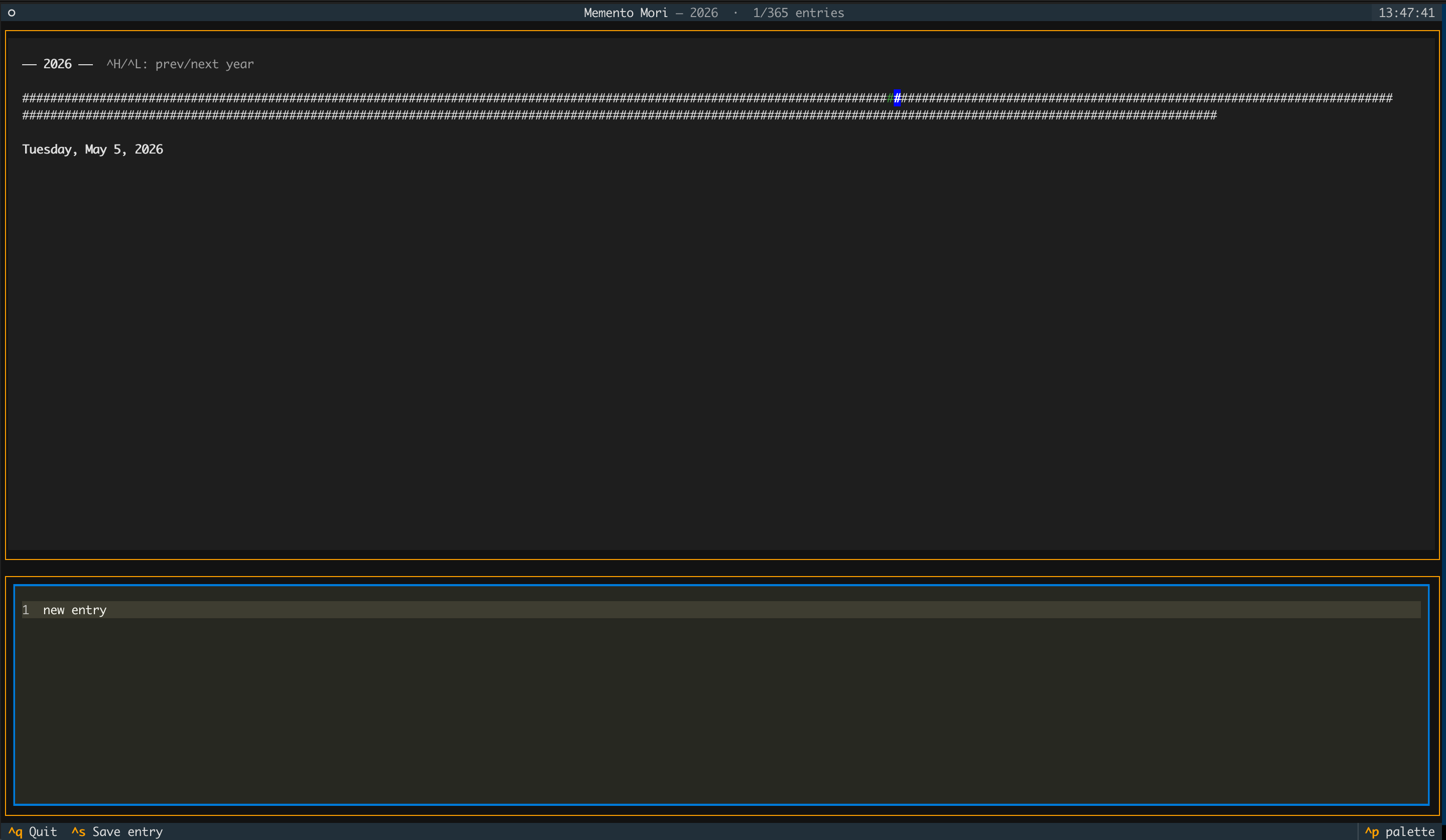
The top pane shows a dense grid of # characters filling the full terminal width — one character per day, wrapping into as many rows as needed to fit the year. Green means an entry exists; grey means it doesn't. The blue-highlighted # is the current cursor.
Navigation (calendar pane):
| Key | Action |
|---|---|
← → or h l |
Move one day |
↑ ↓ or k j |
Move one row (terminal-width days) |
w / b |
Jump forward / back 7 days |
g / G |
Jump to first / last day of year |
^H / ^L |
Previous / next year |
Tab |
Switch focus to the editor |
^S |
Save current entry |
^Q or q |
Quit |
The bottom pane is a code editor pre-loaded with the selected day's entry. Press Esc to save and return focus to the calendar, or ^S to save in place. The header subtitle shows the current year and a live count of entries written.
Entries are cached in ~/.config/memento_mori/entries_cache.json so the calendar appears instantly; jrnl is queried in a background thread and the grid updates when it responds.
memento_web.py)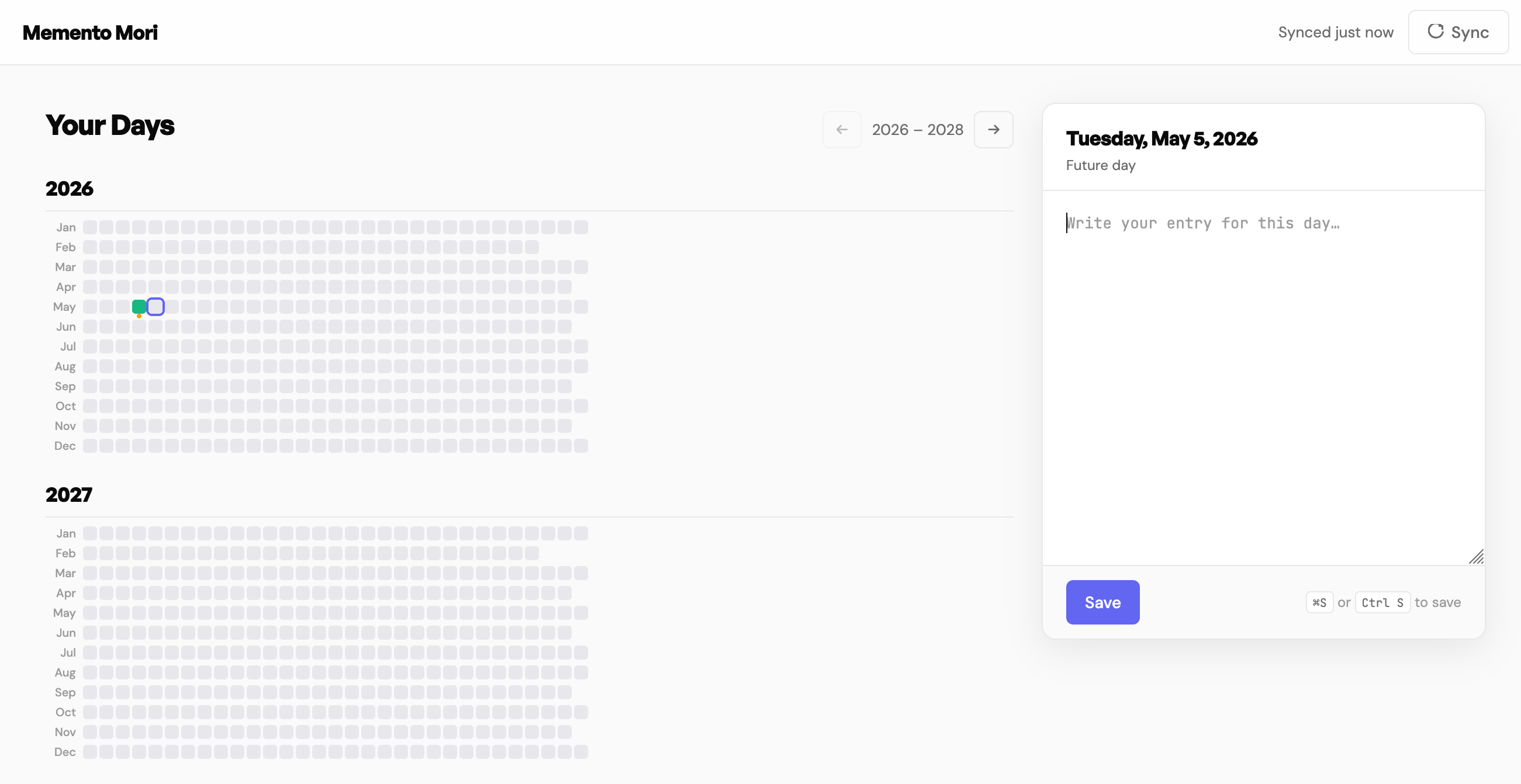
python memento_web.py # opens at http://127.0.0.1:5001
The web version shows the same calendar data as a month-by-month dot grid. Years are grouped with a heading; each row is one month with a short label on the left and a dot per day to the right. Green dots are days with entries; grey dots are empty.
The ← / → buttons in the header step through the calendar in windows of N years (default 3, configurable). Today is marked with a small amber dot below its cell and the view opens centred on the current year.
Clicking any dot selects that day and loads its entry into the sticky editor panel on the right. Changes are saved with the Save button or ⌘S / Ctrl+S. The Delete button removes an entry after confirmation.
The Sync button in the nav re-queries jrnl and refreshes the grid; the same sync also runs automatically in the background on page load.
Both interfaces share ~/.config/memento_mori/config.toml:
months_ahead    = 391   # how far forward to track (391 ≈ 32 years)
start_from_today = true  # start range from today rather than Jan 1
cal_height      = 70    # TUI: calendar pane height as % of screen
years_shown     = 3     # Web: how many years to display at once