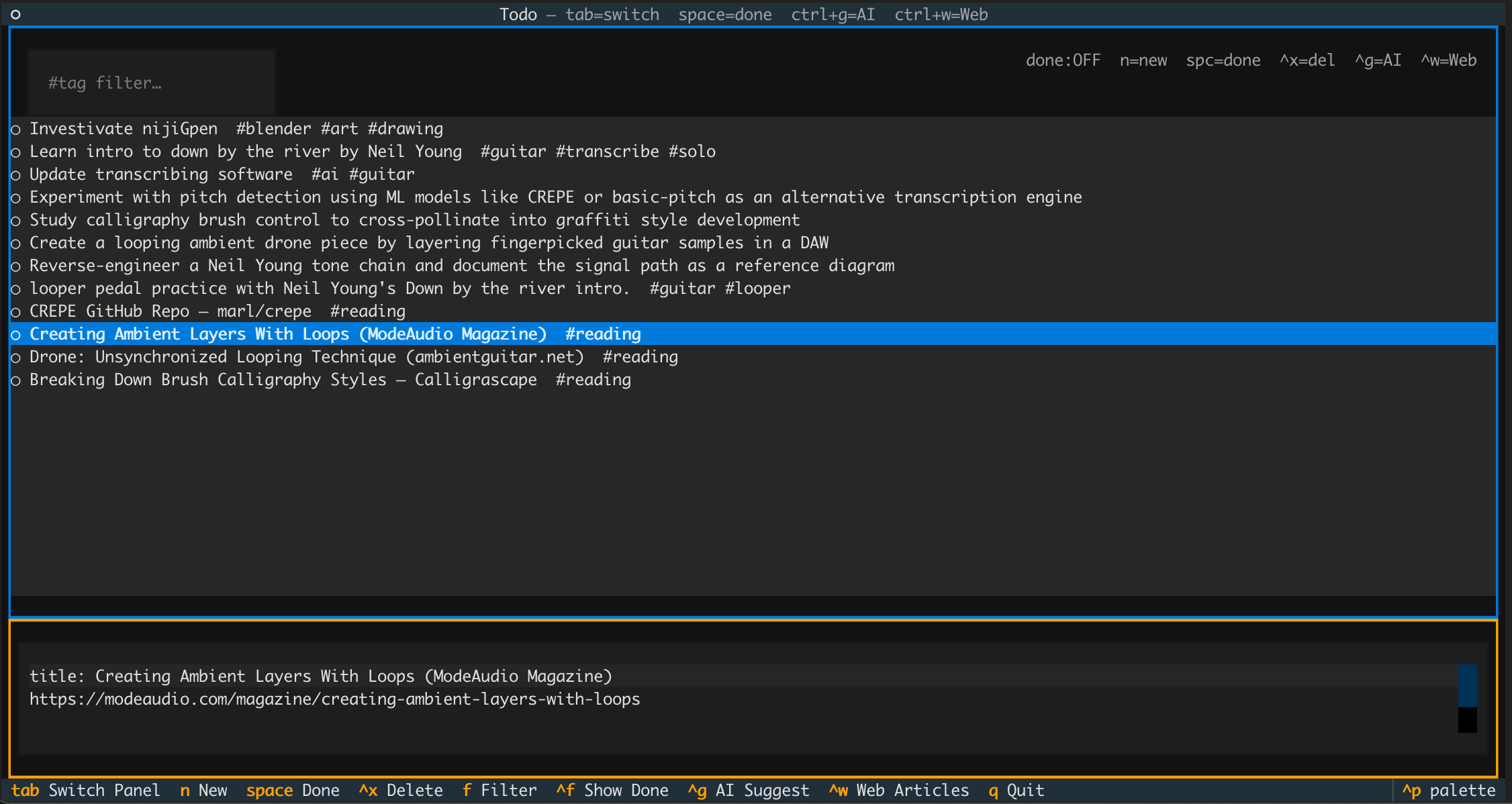
A terminal-based todo app with an AI backbone. The interface splits into a scrollable list on top and a freeform text editor on the bottom. Everything is plain text — no forms, no buttons.
Stay engaged in reality by having a list of interesting ideas to work from. So after you enter all your todos, you can have the AI go out and suggest other things that might be interesting to you, or suggest articles on the internet you might find interesting based on what you do. This system seems much more productive than just finding random links other people post and hope they are interesting to you. The concept of this application isn't to finish your TODO list, it is to always have a list of things to work on so you never have time to scroll.
# Launch the TUI
./todo.py

# Add a todo directly from the command line
./todo.py todo "Read the Rust book"
./todo.py todo "Fix kitchen faucet #home"
When a todo is selected, the bottom panel shows a single editable block:
title: My todo title  #tag-here-is-fine ;xl
Description, notes, links — anything goes below.
More #tags can appear anywhere in this text.
The first line is the title. Everything after it is the description. Tags (#word) are extracted from the full text and used for filtering — you can put them on the title line or anywhere in the body.
End the title line with ;s, ;m, ;l, or ;xl to set the size. Omitting it defaults to small. The list is always sorted largest-first so your biggest tasks stay visible at the top.
title: Rewrite auth module ;xl
title: Fix typo in README ;s
title: Add unit tests ;m
Works from the command line too:
./todo.py todo "Migrate database ;l"
| Key | Action |
|---|---|
Tab |
Switch focus between list and editor |
n |
New todo |
Ctrl+D |
Mark / unmark selected todo as done |
Ctrl+X |
Delete selected todo |
f |
Jump to tag filter |
Ctrl+F |
Toggle showing completed todos |
Ctrl+G |
AI: suggest new todos |
Ctrl+R |
AI: refine a new todo iteratively |
Ctrl+W |
AI: find articles to read |
Ctrl+B |
AI: find books to read |
Ctrl+T |
Flip split — expand editor to 80% or restore list to 80% |
q |
Quit |
Requires ANTHROPIC_API_KEY set in your environment.
Ctrl+G)Analyzes your full todo list — active and completed — and suggests 6–8 genuinely new ideas. The prompt explicitly instructs the model not to rephrase things you already have; it looks for adjacent skills, cross-domain connections, and unexplored angles. A checklist modal opens where you can select as many as you want and add them all at once with a.
Ctrl+R)For when you have a vague itch but don't yet know the concrete task. Type a generic seed idea (e.g. "learn more about distributed systems") and press Enter — Claude rewrites it into a sharper, more actionable single-sentence todo. Keep pressing Ctrl+R to iterate; each pass sees the prior versions as context and is pushed to produce a meaningfully different, better refinement. Optionally type guidance into the input before refining again to steer the next pass (e.g. "more focused on Raft"). Press Ctrl+A to accept the current version and add it to your list, or Esc to cancel.
Ctrl+W)Uses Claude with a live web search tool to find real articles — blog posts, papers, tutorials, essays — matched to your interests. Results include the URL and a one-sentence reason why each article fits. Selected articles are added as todos tagged #reading, with the URL and reason saved in the description so you can find them later.